Stēre gives your IT team precise, schedule-driven control over apps, networks and devices on every school Mac. Enforcement is automatic and no student action is required.
macOS 15+
·
Any MDM
·
AUD $5 / device / year
·
Australian Made
Policy ActiveClass rules enforced
$5per device/yr
Works with
Jamf SchoolJamf ProMosyleKandjiMicrosoft IntuneMeraki SM+ any MDM
Features
Precision control, built for the real classroom.
Stēre silently enforces your school's policies before students can act on them. It runs automatically and needs no teacher interaction.
Time-Based Rules
Schedule exactly what students can access, and when.
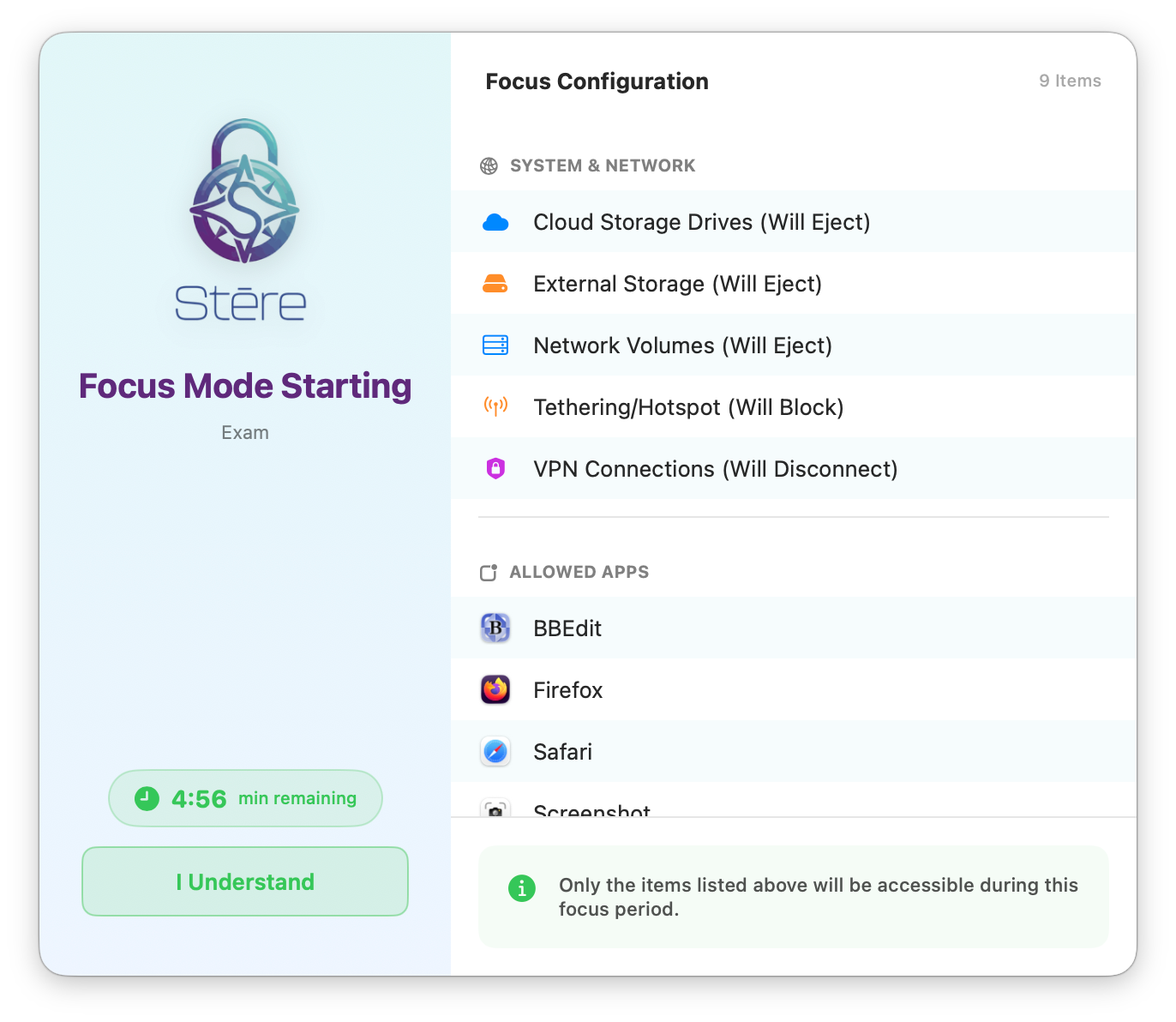
Define time windows for each class. Stēre automatically switches policies, blocking distracting apps and sites before the bell rings and restoring access the moment class ends. A countdown warning gives students time to save their work.
Time-based schedules with day-of-week granularity
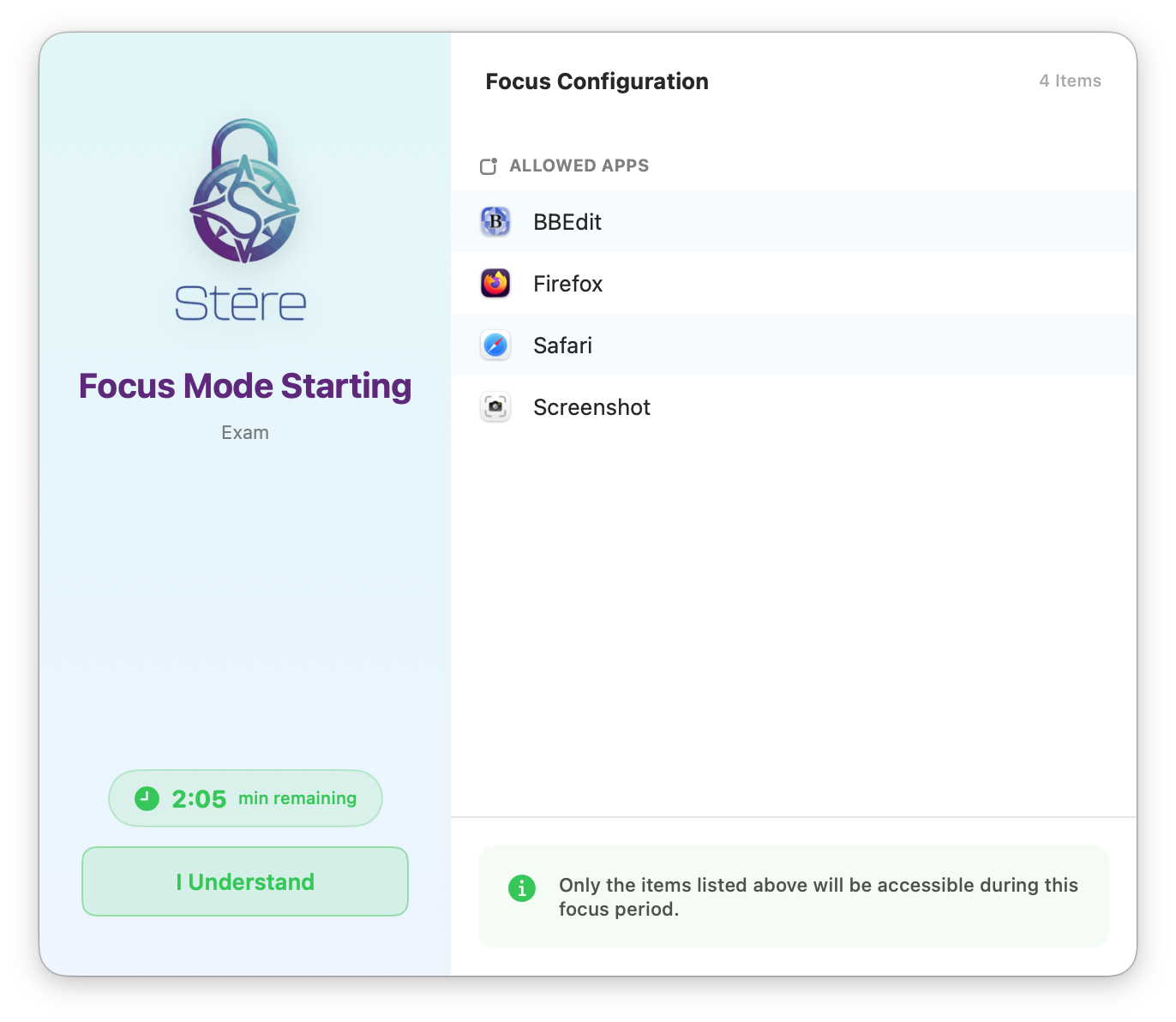
Allowlist mode: only approved apps accessible during focus
On-screen countdown warning before restrictions activate
Date ranges and school holiday exclusions
Multiple overlapping rules with priority resolution
Network Enforcement
Block VPNs, hotspots and unapproved networks instantly.
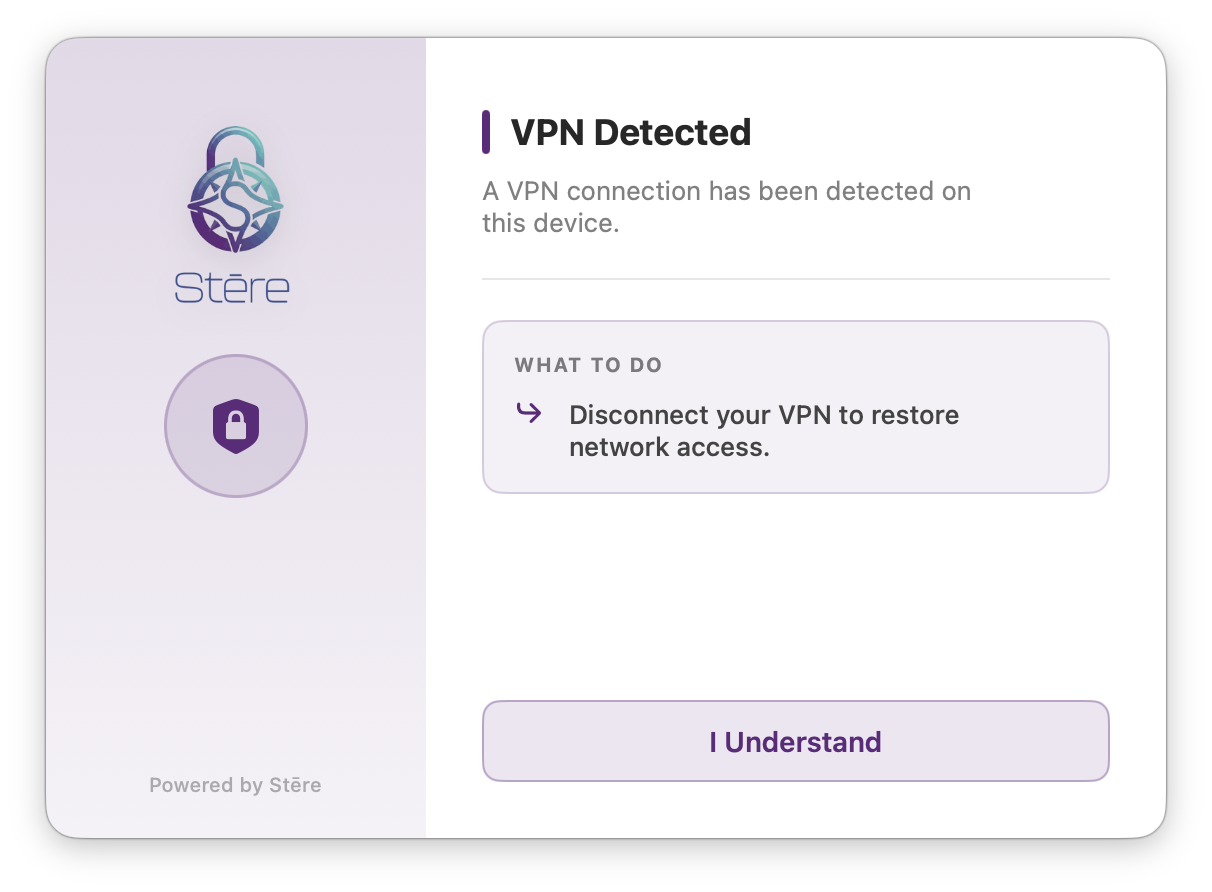
Students can't circumvent content filtering by switching to a personal hotspot, connecting a USB tethered phone, or firing up a VPN. Stēre detects and blocks each method in real time, with an on-screen explanation of exactly what was detected.
VPN process detection and immediate block
Mobile hotspot & USB tethering detection
Restrict to approved WiFi SSIDs or IP ranges
Block network drives and cloud storage mounts
Ethernet-only mode for locked-down labs
App & Device Control
Granular app blocking and external device management.
Block specific applications by name or identifier, so unauthorized software cannot be launched regardless of how a student attempts to access it. Automatically unmount external drives the moment they're plugged in, keeping exams clean.
Block by app name or identifier
Allowlist mode restricts to only approved apps
Auto-eject external USB drives on detection
Block network volumes (SMB, AFP, NFS, WebDAV)
Force-quit all running apps when time starts
IDentity & Global App Library
Scan any Mac and build your library once.
IDentity is a free scanning tool that reads every app installed on a Mac and exports ready-to-use identifiers in a single click. It feeds one Global App Library shared across every Stēre school. Because the catalogue is global, the app you need is probably already in it. Upload your own scans to add anything missing, and every version is logged automatically.
Scan any Mac for installed apps in seconds, with no manual entry
One global catalogue shared across every Stēre school, so most apps are already there
Everyone contributes, and every upload expands the library for all schools
Every app version is logged, not just the latest
Reuse existing entries instantly when building new App Lists
Deployment
Up and running in minutes, not days.
Stēre works with any MDM that supports configuration profiles. No custom MDM required. No per-MDM integration work.
1
📦
Deploy the Package via Your MDM
Push the Stēre installer package to your fleet using your existing MDM workflow, exactly like any other macOS software deployment. No scripts, no manual steps on each machine.
2
⚙️
Push a Config Profile with Your OrgToken
Create a single custom configuration profile in your MDM containing your school's OrgToken and policy rules. Push it to your device groups, or use scope to target specific year levels, labs or classrooms.
3
🛡️
Stēre Activates & Self-Manages
Stēre reads the profile, activates its licence automatically, and begins enforcing your rules silently and persistently, even across reboots and macOS updates. No teacher interaction needed.
Compatible with any MDM that supports macOS configuration profiles.
Jamf SchoolJamf ProMosyleKandjiMicrosoft IntuneMeraki SM+ any MDM
Full Capability List
Everything you need. Nothing you don't.
Every capability below is included in the single flat price. No tiers, no add-ons.
⏱️
Time-Based Policies
Schedule rules by time of day, day of week, and date range. Multiple rules stack with priority resolution for complex timetables.
🔒
App Allow & Block Lists
Control access by app name or identifier. Allowlist mode restricts students to only the apps you choose, and unauthorized software is blocked regardless of how it is launched.
🌐
Network Enforcement
Block VPNs, hotspots, tethering, and restrict connections to approved WiFi networks and IP ranges. Enforcement is automatic, with on-screen explanations when a violation is detected.
💾
External Device Control
Auto-eject USB drives, block network volumes and cloud storage mounts. Keeps exam environments clean and data exfiltration impossible.
🆘
Emergency Admin Bypass
Need to unlock a device remotely for a student in distress? Admins can issue a signed, time-limited bypass token directly from the dashboard, with no physical access needed.
🔑
Cryptographic Licensing
Each device licence is cryptographically signed and hardware-bound. Licences can't be transferred, cloned or spoofed, which keeps your seat count accurate and your deployment secure.
📋
Per-Group Policy Profiles
Push a tailored policy profile to each device group. Year 7 labs, exam rooms, and staff devices each run their own independent rule set, all managed from your existing MDM.
🍎
Native macOS Integration
Built using Apple's native frameworks, so it is fully compatible with Apple Silicon and macOS 15 Sequoia and introduces no third-party drivers or software conflicts.
📊
Live Status Menubar Agent
A lightweight menubar app shows IT staff the current policy state, licence status, last sync time, and active restriction on each machine at a glance.
Pricing
Simple, honest pricing.
One plan. Everything included. Billed annually per device.
School Licence
AUD $5/ device / year
50-device minimum order · 10-device increments thereafter · No setup fees.
Auto-renews annually on the renewal date you choose. Your first invoice is pro-rata to that date. Cancel renewal anytime from your account or Paddle. Full refund within 14 days of purchase. See our refund policy.
All features: time rules, network enforcement, app control
Remote lock & temporary unlock from the dashboard
Works with any MDM: Jamf, Mosyle, Kandji, Intune & more
Multiple concurrent Control Profiles for flexible per-group policies
Cryptographic, hardware-bound device licensing
macOS 15+ with native Apple Silicon & Intel support
No. Stēre includes a proprietary mechanism to verify the authenticity of configuration profiles. Profiles that have not been legitimately issued through your school's MDM are not honoured, and they cannot be fabricated or spoofed. The details of this mechanism are intentionally not disclosed.
Stēre only activates through an MDM-issued configuration profile — there's no standalone install path. If your school's 1:1 or BYOD programme enrols personally-owned devices into your MDM (with the parent/guardian consent your enrolment process already requires), Stēre applies the same policies to those devices as to school-owned hardware. Outside of MDM enrolment, Stēre has nothing to activate against and cannot run.
Because Stēre only runs on MDM-enrolled devices, removing it follows the same path as removing any other managed configuration: your IT team unenrols the device or pushes a removal profile through your MDM console. A student can't manually delete, disable, or force-quit the agent from within macOS while the device stays enrolled, but that protection is tied to MDM enrolment, not to the device itself. If a device leaves your MDM, Stēre is removed along with the rest of your organisation's managed configuration.
Yes. All policy enforcement, including app blocking, time rules and device control, runs entirely locally. The device licence is cached and validated cryptographically without any network call. Stēre performs a daily check-in with the licence server when connectivity is available and includes a 7-day grace period for full licences to handle extended offline scenarios like camp trips or exam rooms with no internet.
Any MDM that can deploy a .pkg installer and push a configuration profile. This includes Jamf Pro, Jamf School, Mosyle, Kandji, Microsoft Intune, Meraki Systems Manager, and others. Stēre is not tied to any specific MDM vendor. It uses standard macOS managed preferences that every MDM platform supports.
Yes. You can push different policy profiles to different device groups via your MDM. Year 12 exam rooms, Year 7 labs, and staff devices can each have their own tailored rule set, managed independently using your MDM's existing scoping and group assignment features. Each device runs the profile assigned to its group.
The Emergency Bypass system lets an admin issue a signed unlock token from the Stēre dashboard. The token is delivered to the device within seconds via the next polling cycle, so there is no need to walk across campus, physically touch the machine, or push an MDM profile change. Bypass can be scoped to network-only or full access, set for a fixed duration, and revoked remotely at any time.
Stēre requires macOS 15 Sequoia or later, and runs natively on both Apple Silicon (M-series) and Intel Macs.
Billing is based on the number of activated device seats in your Stēre account, meaning the number of unique hardware devices that have successfully activated against your OrgToken. You can see this count in real time in the admin dashboard. Devices that are decommissioned can be released to free up a seat.
Get Started
Request a demo or free trial.
Tell us about your school and we'll get back to you within one business day to set up a 14-day trial or walk you through Stēre live.
No credit card required
50-device minimum order
We respond within one business day
Ready to take back the classroom?
Request a free 14-day trial today. No credit card needed.

 Jamf School
 Jamf Pro
 Mosyle
 Kandji
 Microsoft Intune
 Meraki SM